


Introduction to Planner 5D
In today’s digital era, designing a home has become more accessible than ever before. With the rise of intuitive design tools, anyone can transform ideas into visual reality without needing professional training. Planner 5D stands out as one of the most user-friendly and versatile home design platforms available today.
This powerful software allows users to create floor plans, design interiors, and visualize spaces in both 2D and 3D formats. Its drag-and-drop functionality makes it easy for beginners, while its advanced features provide enough depth for experienced designers. Whether you are planning a renovation, decorating a room, or experimenting with creative ideas, Planner 5D offers a comprehensive solution.
The platform is widely used by homeowners, students, interior designers, and real estate professionals. Its ability to combine simplicity with powerful visualization tools has made it a go-to choice for millions of users worldwide.
Key Features That Make Planner 5D Stand Out
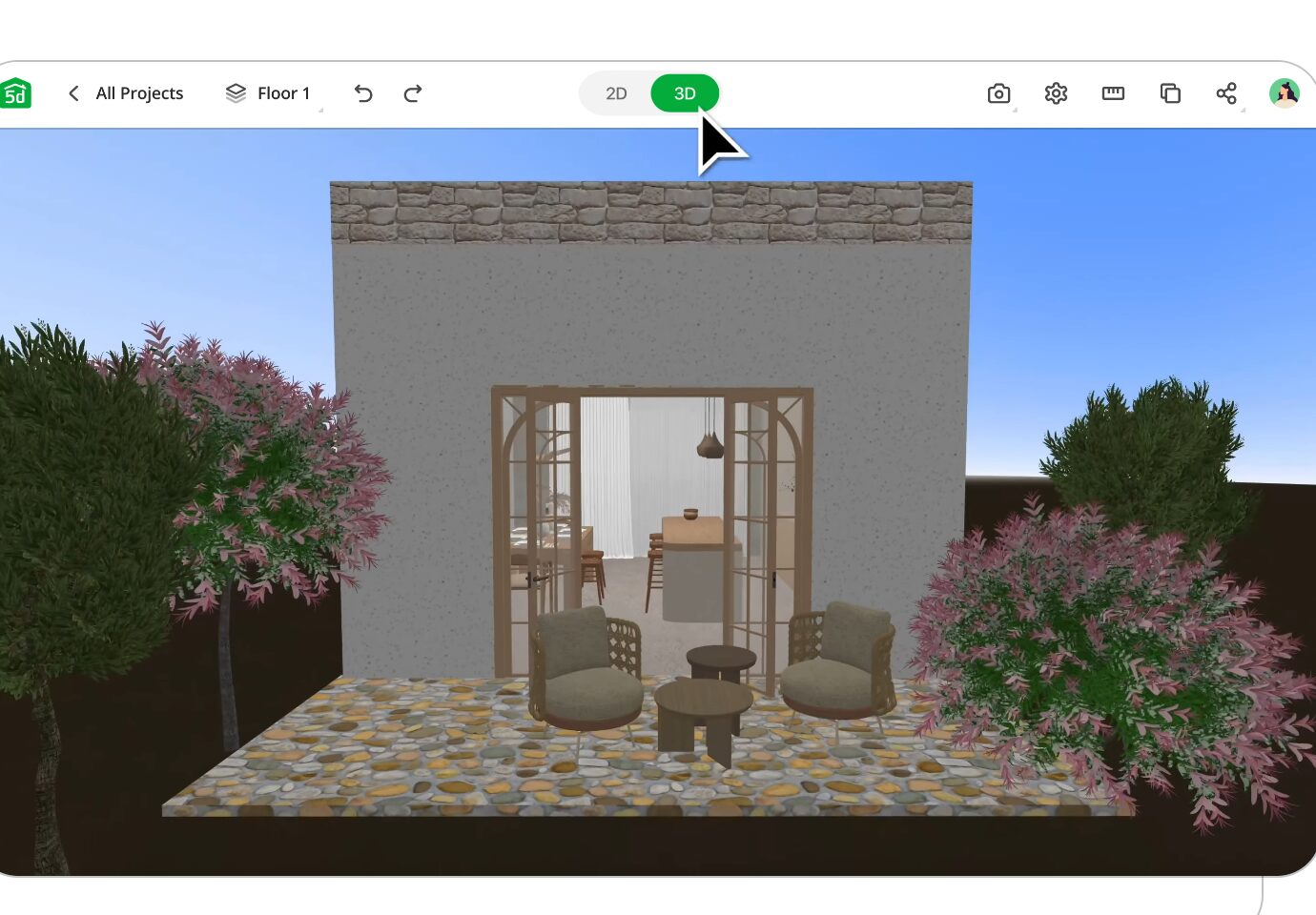
Planner 5D offers a wide range of features designed to simplify the design process while delivering impressive results. One of its most notable capabilities is the seamless transition between 2D and 3D views. Users can create layouts in 2D and instantly visualize them in 3D, gaining a realistic understanding of their designs.
The software includes an extensive catalog of furniture, décor items, and structural elements. From sofas and lighting fixtures to kitchen appliances and outdoor landscaping, users can customize every aspect of their space.
Another major advantage is its intuitive drag-and-drop interface. Unlike complex design tools, Planner 5D eliminates the need for technical expertise, allowing users to focus on creativity rather than learning complicated commands.
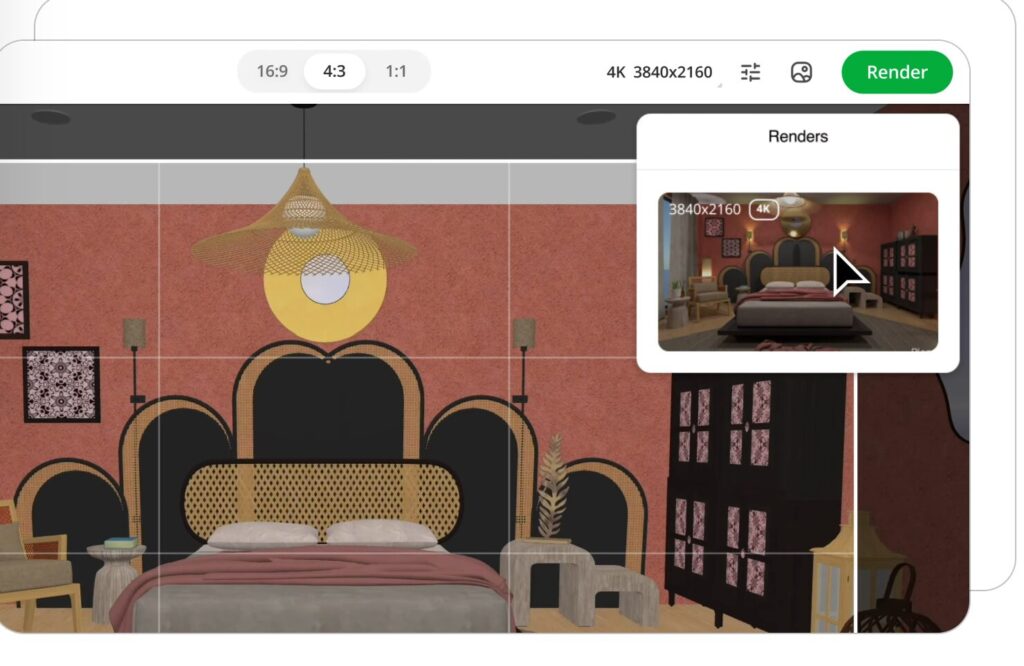
High-quality rendering is another standout feature. The platform enables users to generate realistic images with accurate lighting, shadows, and textures. This makes it easier to present ideas and make informed design decisions.
Customization is also a key strength. Users can modify colors, materials, and textures to match their preferred style, whether it’s modern, minimalist, or traditional.
How Planner 5D Works: From Concept to Creation
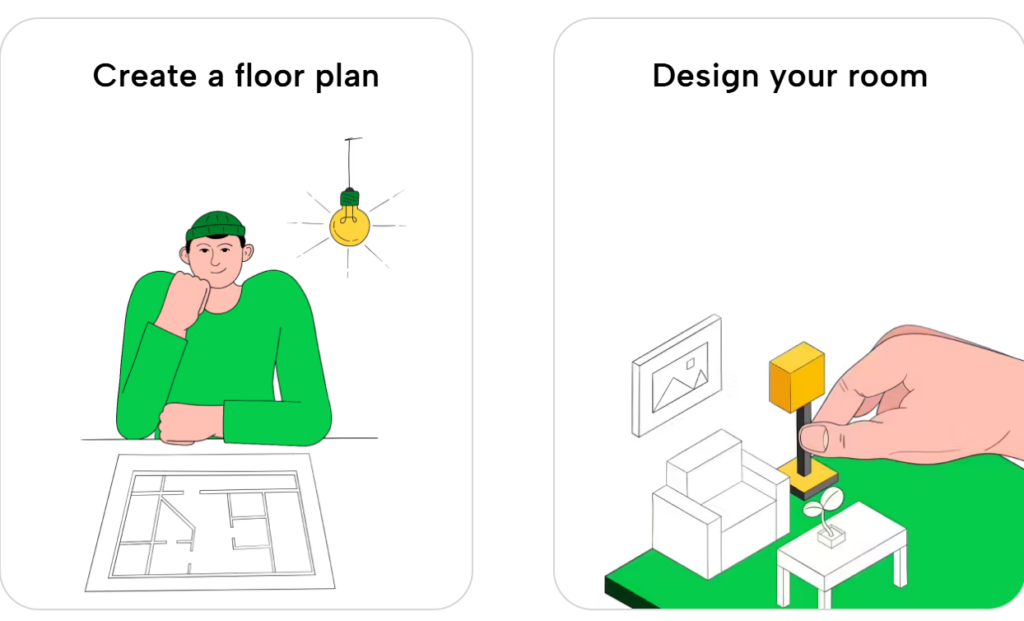
The design process in Planner 5D is straightforward and user-friendly. It begins with creating a floor plan, either from scratch or by uploading an existing layout. This flexibility allows users to adapt the software to their specific needs.
Once the layout is ready, structural elements such as walls, doors, and windows can be added. The platform provides precise measurement tools, ensuring that designs are both accurate and practical.
The next step involves furnishing and decorating the space. With thousands of items available in the catalog, users can experiment with different layouts and styles. Each object can be resized, rotated, and customized to fit the overall design.
One of the most exciting features is the 3D visualization mode. Users can explore their designs from various angles, gaining a realistic sense of space and layout.
Additionally, AI-powered tools help streamline the process by generating design suggestions based on user preferences. This is particularly useful for beginners who may need inspiration or guidance.
Advanced Design Tips for Better Results
To get the most out of Planner 5D, it’s important to go beyond basic features and explore advanced design techniques. One effective approach is to use accurate measurements. This ensures that your designs are realistic and can be implemented in real life.
Lighting is another crucial factor. Experimenting with different light sources can dramatically change the appearance of a space. Adjusting brightness and shadows helps create a more lifelike environment.
Using textures effectively can add depth and personality to your designs. Combining materials such as wood, metal, and fabric creates a more dynamic and visually appealing space.
It’s also helpful to work in layers, focusing on one aspect of the design at a time. This approach allows for better organization and more precise adjustments.
Finally, take advantage of rendering tools to create high-quality visuals. These images are useful for presentations and can help you communicate your ideas clearly.
Comparing Planner 5D with Other Design Software
Planner 5D is often compared to other popular design tools, each with its own strengths and limitations.
Compared to AutoCAD, Planner 5D is much easier to use but less technical. AutoCAD is ideal for detailed architectural work, while Planner 5D focuses on accessibility and visualization.
When compared to SketchUp, Planner 5D offers a simpler interface and quicker results. SketchUp provides more advanced modeling capabilities but requires a steeper learning curve.
Another alternative, Roomstyler 3D Home Planner, is also beginner-friendly. However, Planner 5D stands out with its larger catalog and more advanced rendering features.
The choice ultimately depends on the user’s needs. Those looking for simplicity and speed often prefer Planner 5D, while professionals may choose more complex tools for detailed projects.
Benefits of Using Planner 5D
Planner 5D offers numerous benefits that make it a popular choice among users. One of its biggest advantages is accessibility. The platform is available on web browsers, mobile devices, and desktops, allowing users to work from anywhere.
Its user-friendly interface makes it easy for beginners to get started, while its advanced features provide enough depth for more experienced users. This balance makes it suitable for a wide range of applications.
The ability to visualize designs in 3D is another major benefit. This helps users understand how their ideas will look in real life, reducing the risk of costly mistakes.
Planner 5D also encourages creativity by providing a vast selection of design elements. Users can experiment with different styles and layouts without limitations.
Collaboration is another advantage. Projects can be shared with others, making it easier to gather feedback and refine designs.
Real-Life Applications of Planner 5D
Planner 5D is not just a creative tool—it has practical uses in various real-world scenarios. Homeowners use it to plan renovations and interior changes, ensuring that their ideas are feasible before implementation.
Students and educators use the platform to learn and teach design principles. Its interactive nature makes it an effective educational tool.
Interior designers use Planner 5D to create concept designs and present ideas to clients. While it may not replace professional software, it is an excellent tool for quick visualization.
Real estate professionals use it to stage properties virtually, helping potential buyers visualize spaces more effectively.
Businesses also use Planner 5D for office planning, optimizing layouts to improve productivity and comfort.
The Role of AI and Future Innovations
Artificial intelligence is playing an increasingly important role in design software, and Planner 5D is at the forefront of this trend. AI-powered tools can generate layouts, suggest furniture placements, and enhance rendering quality.
These features make the design process faster and more efficient, especially for beginners. As AI continues to evolve, it is expected to bring even more advanced capabilities to the platform.
Future trends in home design software include the integration of virtual reality and augmented reality. These technologies will allow users to immerse themselves in their designs, creating a more interactive experience.
Sustainability is another key focus. Future updates may include tools for eco-friendly design, helping users create energy-efficient and environmentally responsible spaces.
Conclusion
Planner 5D has revolutionized home design by making it accessible, intuitive, and visually impressive. Its combination of ease of use, powerful features, and realistic visualization tools makes it a valuable resource for anyone interested in design.
Whether you are a beginner exploring creative ideas or a professional looking for a quick visualization tool, Planner 5D offers the flexibility and functionality needed to succeed.
As technology continues to evolve, Planner 5D is well-positioned to remain a leader in the home design software industry, helping users turn their ideas into reality with ease.