


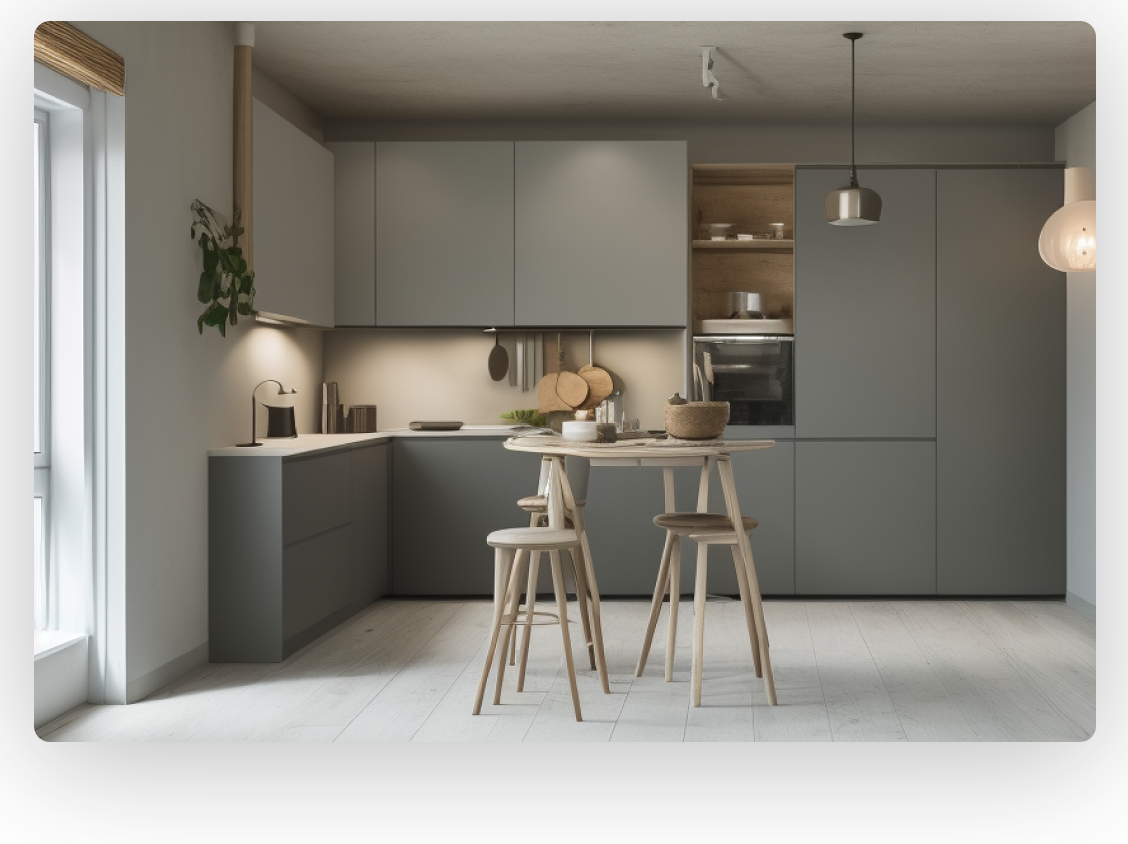
Transform Your Living Space With Planner 5D Home Design Tools
Creating a beautiful home begins with a clear vision. Whether you are planning a new house, renovating an existing room, or refreshing your interior style, having the right design tools can make the process easier and more enjoyable. Planner 5D offers a digital platform that helps users turn their creative ideas into practical home design plans. It allows people to experiment with layouts, furniture, colors, and decorative elements before making changes in real life.
Home design can sometimes feel complicated, especially when it is difficult to imagine how different elements will look together. A sofa that appears attractive in a showroom might not fit comfortably in a living room, while a particular wall color may look different under various lighting conditions. Digital planning helps reduce these uncertainties by providing a visual representation of the proposed space.
With Planner 5D, users can explore different arrangements and develop a design that reflects their personal preferences. The platform is useful for beginners who want to decorate a single room as well as individuals planning more extensive interior projects. Instead of relying entirely on sketches or imagination, users can create a digital version of their space and adjust its appearance as their ideas develop.
The ability to test multiple concepts encourages creativity and thoughtful decision-making. From minimalist apartments to comfortable family homes, digital design tools provide a convenient starting point for turning inspiration into a structured plan.
Plan Functional Room Layouts With Planner 5D Floor Planning Features
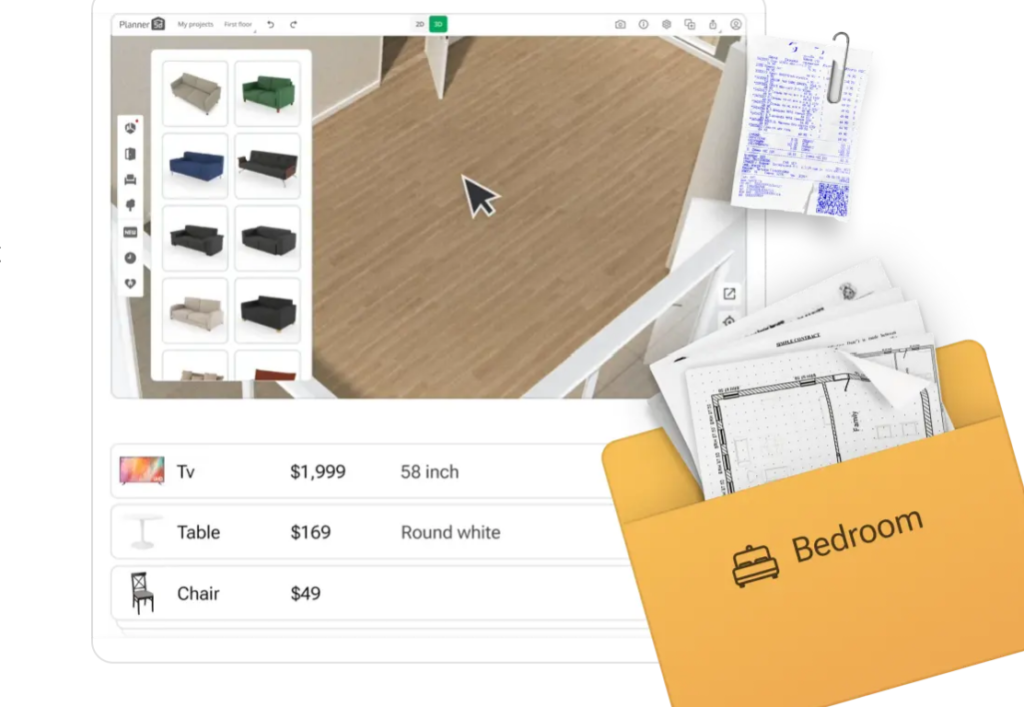
A successful interior design starts with an effective layout. Even a beautifully decorated room can feel uncomfortable if the furniture is poorly arranged or the available space is not used efficiently. Floor planning helps homeowners understand the dimensions of their rooms, organize important features, and create a practical arrangement before purchasing furniture or beginning renovation work.
Planner 5D supports the creation of digital floor plans, allowing users to arrange rooms and explore different layouts. Depending on the project, users can plan spaces such as bedrooms, kitchens, living rooms, bathrooms, and home offices. This flexibility makes it easier to visualize the relationship between different areas and develop a design that suits everyday activities.
For example, someone designing a small apartment might want to create an open living and dining area. By experimenting with furniture placement, they can explore ways to maintain a comfortable walking path while keeping the room visually organized. A homeowner planning a bedroom can test different bed positions, storage arrangements, and bedside furniture options.
Measurements are particularly important during this stage. Users should consider room dimensions, door openings, windows, and the space required to move comfortably around furniture. A well-planned layout can help make smaller rooms feel more spacious without unnecessary changes to the structure.
Digital floor planning is also valuable when comparing alternatives. Rather than committing immediately to one arrangement, users can explore several possibilities and identify the option that best balances appearance and functionality. This preparation can make conversations with contractors, interior designers, and other household members more productive.
Visualize Realistic Interiors With Planner 5D 3D Design Technology
Two-dimensional floor plans are useful for understanding measurements and room arrangements, but they do not always communicate the complete appearance of an interior. Three-dimensional visualization adds depth to the design process by allowing users to explore a space from different angles and understand how its elements work together.
Planner 5D provides 2D and 3D design capabilities that help users move from basic planning to a more detailed visual representation. A floor plan can become a three-dimensional environment where furniture, walls, decorative objects, and other design elements can be evaluated together.
This visual perspective can make decisions about scale and proportion easier. For instance, a large dining table might appear suitable on a flat floor plan, but a three-dimensional view can reveal that it dominates the room. Similarly, users can compare different furniture styles and see how their shapes influence the overall atmosphere.
Three-dimensional design is also useful for experimenting with color combinations. Light walls combined with natural wood may create a calm and open appearance, while darker colors and contrasting materials can produce a more dramatic interior. Users can test these ideas digitally before deciding which direction to follow.
Lighting and materials also influence the visual result. The appearance of a room depends on the relationship between surfaces, furniture, light sources, and decorative details. Visualization tools can help users understand these relationships more clearly, although digital previews may not reproduce every real-world condition exactly.
For people who find traditional technical drawings difficult to interpret, 3D design offers a more accessible way to understand a proposed space. It makes the planning process more visual, interactive, and suitable for experimenting with different creative ideas.
Explore Furniture And Decor Options With Planner 5D Interior Design Resources
Furniture and decorative accessories play an important role in creating a comfortable and attractive home. However, choosing individual items without considering the complete room can lead to an inconsistent design. A digital furniture and decor catalog helps users explore different products and evaluate how they might work within a planned space.
Planner 5D offers design resources that allow users to furnish and decorate their digital rooms. Depending on the available catalog and selected tools, users can explore items such as sofas, beds, tables, chairs, storage units, lighting fixtures, and decorative accessories. These elements help transform an empty floor plan into a more complete interior concept.
When choosing furniture, size should be one of the first considerations. A compact sofa may suit a small apartment, while a larger sectional could work better in a spacious family living room. Similarly, storage furniture should provide enough capacity without blocking pathways or making the room feel crowded.
Style is another important factor. Modern interiors often feature clean lines and simple shapes, while traditional spaces may include decorative details and classic furniture designs. Scandinavian-inspired rooms frequently combine light colors, natural materials, and functional furnishings. Users can explore these different directions before settling on a consistent theme.
Color coordination can also improve the overall result. Choosing a limited palette of complementary colors helps create visual harmony across furniture, walls, textiles, and accessories. Neutral backgrounds can provide flexibility, while accent colors introduce personality without overwhelming the space.
Decorative objects should support the room’s purpose rather than simply fill empty areas. Rugs can help define seating zones, mirrors can influence the perception of space, and carefully positioned lighting can contribute to a welcoming atmosphere. By arranging these elements digitally, users can test different combinations and refine their ideas before shopping.
Create Personalized Spaces With Planner 5D AI Design Assistance
Artificial intelligence is becoming an important part of digital design, helping users explore ideas and simplify certain stages of the creative process. For people who are unsure where to begin, AI-assisted features can offer inspiration and provide a starting point for developing a more personalized interior.
Planner 5D includes AI-related design capabilities, with available features depending on the tool and plan being used. These tools can support parts of the design workflow, helping users explore room concepts or develop ideas from existing spaces and layouts.
AI assistance can be especially useful when a room needs a fresh direction. A user might prefer a contemporary bedroom but struggle to select appropriate colors, furniture, and decorative details. Design suggestions can introduce possible combinations that the user can review, adapt, or use as inspiration for a different concept.
Another advantage is the opportunity to compare styles. A single room can be explored through several creative approaches, such as modern, industrial, minimalist, or Scandinavian-inspired design. Seeing different directions can help users identify which elements best match their preferences and practical needs.
However, AI suggestions should be treated as creative assistance rather than automatic substitutes for personal judgment. A visually attractive concept still needs to work with the room’s dimensions, budget, existing architecture, and everyday requirements. Users should also confirm measurements and consider real product availability before making purchases.
The most effective approach combines digital suggestions with personal decision-making. By using AI as a source of inspiration and adjusting the results to suit their circumstances, users can create interiors that feel individual rather than simply following a generic design trend.
Improve Renovation Decisions With Planner 5D Home Project Visualization
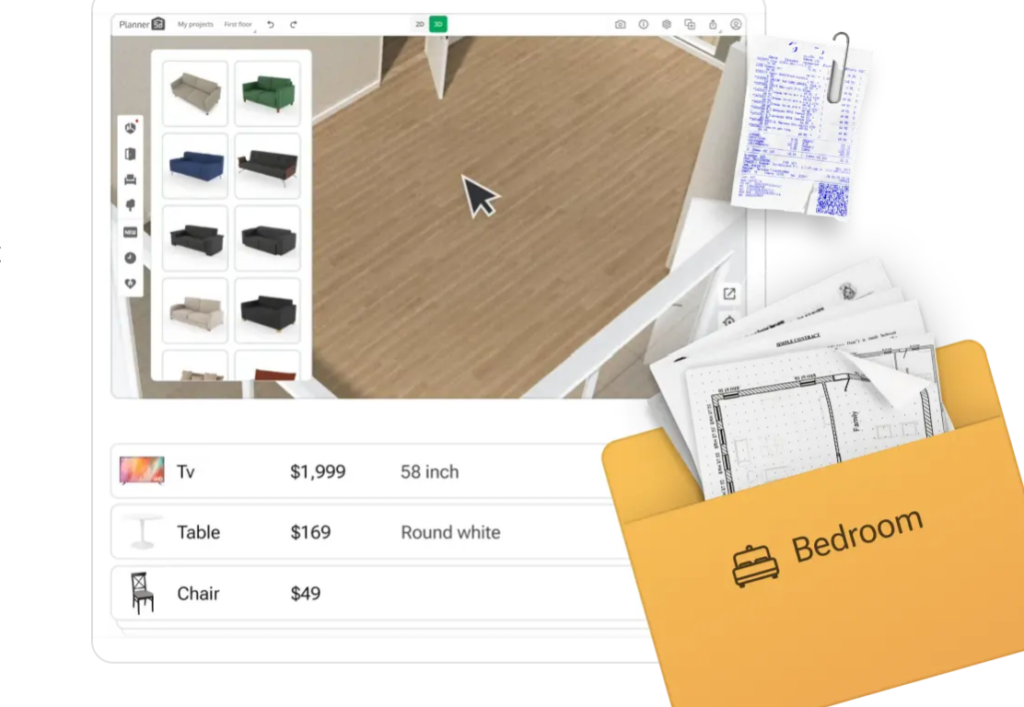
Renovation projects often involve several connected decisions, including furniture placement, color selection, storage requirements, lighting, and the use of available space. Making these choices without a clear visual plan can lead to unexpected expenses or changes during the project. Digital visualization provides an opportunity to review ideas before committing to physical work.
Planner 5D can help users develop a visual reference for their renovation plans. By arranging rooms, testing furniture positions, and exploring materials, homeowners can build a clearer understanding of the intended result. This can be particularly helpful when comparing multiple ideas or communicating a design concept to other people involved in the project.
Consider a kitchen renovation. A user may want additional storage, a more practical cooking area, and a comfortable place for everyday dining. A digital layout can help explore cabinet arrangements, appliance positions, and available walking space. Reviewing the proposed design in advance can highlight possible problems that might otherwise be overlooked.
The same approach can be applied to living rooms, bathrooms, bedrooms, and workspaces. A home office, for example, should accommodate a desk, seating, lighting, and storage while leaving enough room for comfortable movement. A carefully planned layout can help balance productivity and appearance.
Budget planning is another important consideration. Before purchasing materials or furniture, users can prepare a list of required items and compare their options. Digital design itself does not guarantee a particular renovation cost, but it can support better organization by helping people understand what they intend to create.
For structural changes, electrical work, plumbing, and other technical requirements, homeowners should consult qualified professionals. A digital design is a planning aid rather than a replacement for building regulations, professional measurements, or technical drawings where those are required.
Organize Creative Projects With Planner 5D Digital Home Design Workflow
A home design project becomes easier to manage when inspiration, planning, and revisions follow a clear process. Instead of making every decision at once, users can divide the project into manageable stages and gradually develop a complete interior concept.
Planner 5D provides a digital environment for working on home design ideas, making it useful for people who want to organize their creative process. A practical starting point is to identify the purpose of the space and list its essential requirements. A family living room may need comfortable seating and storage, while a guest bedroom might require a bed, a wardrobe, and simple decorative details.
The next step is creating the basic layout. Accurate room dimensions and the position of doors and windows help establish a useful foundation. Once the main structure is planned, users can add furniture and explore different arrangements. Reviewing the design in 3D can then help reveal whether the room feels balanced and functional.
After the layout is established, attention can shift to style. Choosing a design theme, selecting complementary colors, and comparing materials can create a consistent visual direction. Users can then refine the details by adjusting furniture, adding accessories, and reviewing the overall composition.
Saving versions of a project or maintaining organized design files, where supported, can make it easier to compare alternatives and return to earlier ideas. Users should also check the available account features, device compatibility, and plan limitations before relying on particular collaboration or synchronization options.
A final review should consider both appearance and practicality. Check whether furniture fits the available space, movement paths remain clear, storage is sufficient, and the design suits the people who will use the room. It is also helpful to compare the planned features with the available budget and confirm important dimensions before buying products.
By following a structured workflow, users can make digital home design a more manageable and creative experience. Planner 5D offers a way to explore interior concepts visually, refine room layouts, and prepare for real-world decorating or renovation decisions with greater clarity.