

Discover Planner 5D: The Ultimate Home Design Tool
Planner 5D is a revolutionary home design software that transforms the way people plan and decorate their living spaces. Unlike traditional CAD programs, which can be overwhelming for beginners, Planner 5D offers an intuitive drag-and-drop interface that allows anyone to design rooms, apartments, and entire homes with ease. Users can start in 2D mode to map out precise layouts and then switch to 3D mode to experience their designs in a realistic virtual space.
Planner 5D is ideal for a wide range of users. Homeowners can visualize renovations before committing to purchases. DIY enthusiasts can experiment with layouts, furniture, and colors without the fear of making costly mistakes. Interior designers can present client-ready designs, and architects can quickly create concept layouts for early-stage projects. The platform also includes AI-assisted suggestions, which recommend furniture placement, color schemes, and lighting setups, helping even beginners produce professional-quality designs.
One of the biggest advantages of Planner 5D is its cross-platform compatibility. Whether you prefer designing on a desktop computer, tablet, or smartphone, your projects are stored in the cloud, ensuring you can continue your work anywhere, anytime. This combination of accessibility, technology, and user-friendliness makes Planner 5D a must-have tool for anyone looking to bring their home design ideas to life efficiently and creatively.
Key Features That Make Planner 5D Stand Out
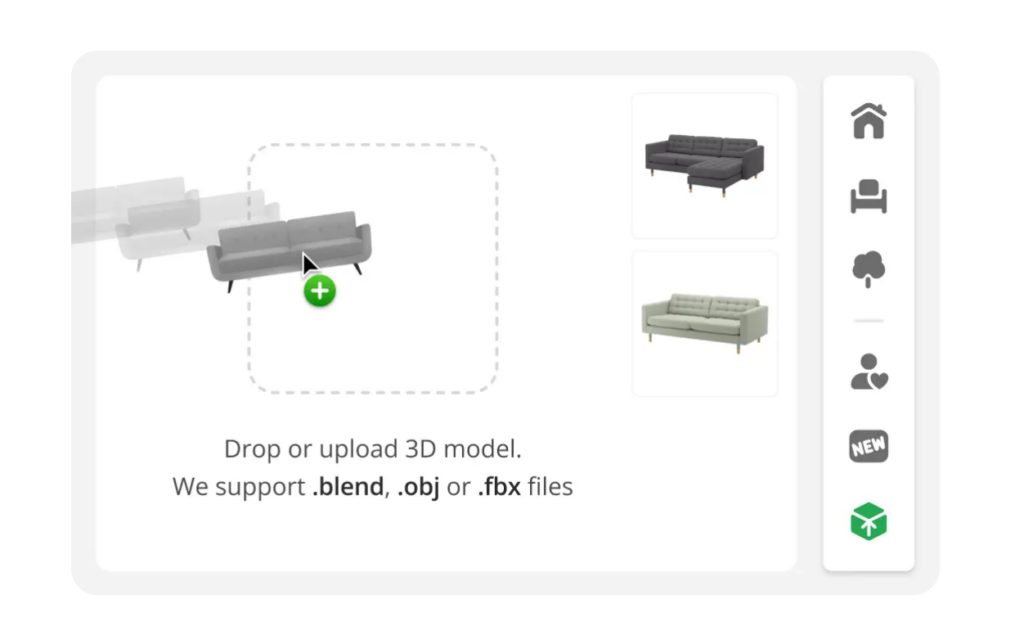
Planner 5D offers a rich feature set that distinguishes it from other home design software. Its AI-powered design tools suggest optimal furniture arrangements and layouts, helping users create functional and aesthetically pleasing rooms without guesswork. The software’s extensive furniture and décor catalog contains thousands of customizable items, from sofas and beds to rugs, lighting fixtures, and decorative accents. Every piece can be resized, rotated, and colored to match your space precisely.
Another standout feature is AR and VR visualization. Users can view their designs in real spaces using Augmented Reality, or take immersive Virtual Reality walkthroughs for a lifelike experience. Pre-designed templates allow users to start quickly, whether it’s a living room, kitchen, or bedroom. The mood board feature lets you combine colors, textures, and materials to see how different combinations look together.
Planner 5D also excels in cross-device functionality, letting you design on desktop, tablet, or mobile without losing progress thanks to cloud saving. Additional features include photorealistic rendering, video walkthroughs, and the ability to import existing floor plans. These tools make it easy for anyone to create realistic, professional-quality home designs, whether for personal projects or client presentations.
Step-by-Step Guide to Creating Stunning Floor Plans
Designing a home in Planner 5D is straightforward and satisfying. Start by building a 2D layout, defining walls, doors, and windows. Accurate room measurements are crucial to ensure that furniture fits and the space functions well. After the walls and windows are in place, add furniture and fixtures using the drag-and-drop catalog. Adjust sizes and positions to create the most efficient and visually appealing layout.
Switch to 3D mode to see the design come to life. Walk through the rooms virtually to understand how furniture placement affects space and flow. Experiment with colors, textures, and lighting to achieve a realistic preview of your final design. Planner 5D’s AI recommendations provide optimized layouts and color schemes that enhance the functionality and aesthetics of the space.
Finally, render high-quality snapshots or video walkthroughs to share your designs with family, contractors, or clients. Planner 5D allows you to save multiple versions of each project, which is perfect for experimenting with different styles or furniture arrangements without losing progress. This step-by-step process ensures that even beginners can produce floor plans that look professional and practical, making home design accessible and enjoyable for everyone.
Using Planner 5D for Room-Specific Interior Design
Planner 5D is perfect for designing every type of room in your home with accuracy and creativity. In living rooms, users can experiment with sofa arrangements, coffee tables, rugs, and lighting. Different color schemes can be tested for walls, furniture, and décor items to create a cohesive and inviting atmosphere.
In kitchens, Planner 5D allows precise placement of cabinets, countertops, and appliances. AI suggestions can optimize workflow and accessibility, ensuring the space is functional and visually appealing. Users can also preview different materials for countertops, backsplashes, and flooring to see which combination looks best.
Bedrooms can be designed with flexibility, allowing users to test bed placements, wardrobe arrangements, and lighting configurations. The software also lets you experiment with wall colors, window treatments, and décor items to create a relaxing and stylish retreat.
Even bathrooms can be planned in detail. You can place fixtures such as sinks, toilets, showers, and tubs, test different tile patterns, and simulate lighting to ensure both practicality and aesthetics. Planner 5D allows multiple versions of a room to be saved, so users can compare layouts, furniture styles, and color palettes.
This flexibility and ease of experimentation make Planner 5D a powerful tool for both homeowners and interior designers, allowing them to create personalized and functional spaces without trial-and-error in the real world.
Planner 5D for DIY Renovations and Home Projects
Planner 5D is especially useful for DIY renovation projects. Users can measure spaces accurately, simulate different furniture arrangements, and experiment with new layouts before making any purchases. This minimizes mistakes and saves both time and money. For instance, a kitchen renovation can be fully planned digitally, testing multiple cabinet layouts, countertop materials, and appliance placements to find the perfect combination.
The software supports multi-floor designs, making it easy to plan an entire home in one project. Users can collaborate with family members, contractors, or interior designers by sharing projects for feedback. Planner 5D also allows testing of colors, materials, and lighting scenarios, helping DIY enthusiasts visualize how their changes will look in reality.
By providing a risk-free virtual environment, Planner 5D empowers users to confidently execute renovations and remodeling projects. From simple room makeovers to complex multi-floor redesigns, the software ensures that every decision is informed, practical, and aesthetically pleasing.
Pricing, Accessibility, and Why Planner 5D is Worth It
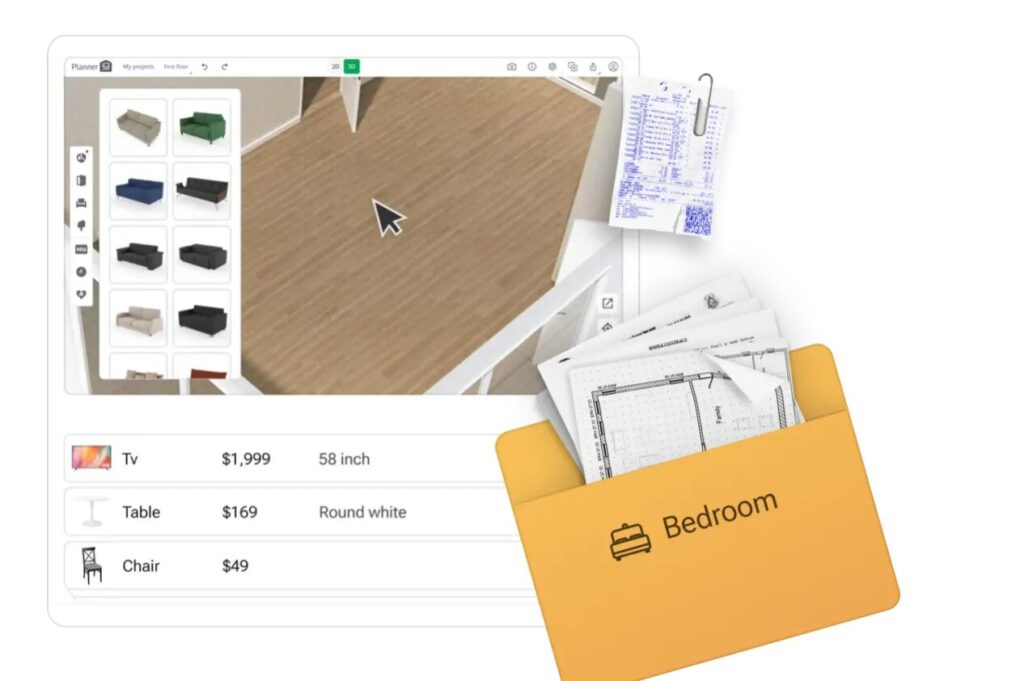
Planner 5D offers a freemium plan that provides access to basic design tools and a limited furniture catalog, making it accessible for beginners. Premium subscriptions unlock the full furniture catalog, AI-assisted features, HD rendering, and video walkthroughs, allowing users to create highly realistic, professional-quality designs.
The software is accessible on desktop, tablet, and mobile, making it convenient to design from anywhere. Tutorials, inspiration galleries, and AI suggestions simplify the learning process, even for users with no prior design experience.
Compared to competitors like Roomstyler, SketchUp, or HomeByMe, Planner 5D stands out for its beginner-friendly interface, AI-powered design suggestions, extensive furniture catalog, and cross-platform support. Whether you are planning a single-room makeover or a full-scale home renovation, Planner 5D provides all the tools, flexibility, and inspiration you need to make your dream home a reality. It combines technology, creativity, and practicality in a way that makes home design accessible, enjoyable, and highly effective.