


Introduction to Planner5D
Are you dreaming of a home tailored just for you? The quest for the perfect living space can feel overwhelming. But what if I told you that designing your dream home could be as easy as clicking a few buttons? Enter Planner5D, an innovative tool that makes home design accessible to everyone—whether you’re a seasoned architect or just someone with a vision.
Imagine stepping into your ideal abode without leaving your couch. From layout to decor, this user-friendly platform allows you to bring your ideas to life in stunning 3D visuals. With its versatile features and intuitive interface, creating the sanctuary you’ve always wanted is within reach. Ready to dive in and make those dreams a reality? Let’s explore how Planner5D can transform your concepts into captivating designs!
Are you ready to turn your dream home into a reality? With the right tools, designing your ideal living space can be both fun and rewarding. Enter Planner5D, an intuitive design platform that empowers you to create stunning home layouts without any prior experience in architecture or interior design. Whether you’re imagining a cozy cottage or a modern marvel, this tool allows your creativity to flow while providing endless possibilities at your fingertips. Let’s embark on this exciting journey together as we explore how Planner5D can help you bring your vision to life!
Exploring the Features and Tools of Planner5D
Planner5D is a game-changer for home design enthusiasts. Its user-friendly interface makes it accessible for everyone, regardless of experience.
The drag-and-drop functionality allows you to place elements with ease. You can see your ideas come to life in 2D and 3D views instantly.
Customization options are vast. Choose from countless materials, colors, and textures to create a space that reflects your personal style.
The software also features an extensive library of furniture and decor items. Whether you’re going for modern minimalism or classic elegance, you’ll find what you need.
Realistic rendering lets you visualize lighting effects and shadows in real-time, enhancing the overall design process. Plus, sharing your designs with friends or family is simple—just click a button!
With Planner5D, creativity knows no bounds as it empowers users to explore their unique vision for their dream home.

Step 1: Setting Up Your Floor Plan and Dimensions
Designing your floor plan is the foundation of creating your dream home. Start by opening Planner5D and selecting a new project.
You’ll be greeted with an intuitive interface that allows you to envision every inch of your space. Begin by defining the overall dimensions of each room. This step is crucial, as it sets the stage for everything that follows.
Once you’ve established the size, use the measurement tools to ensure accuracy. Don’t rush this part; getting it right now saves headaches later on.
Consider how rooms will flow into one another. Think about light exposure and accessibility too, as these elements greatly impact comfort in daily living.
With your dimensions set, you’re ready to bring walls into play and create distinct areas within your home design journey!
Step 2: Adding Walls, Doors, and Windows
Once your floor plan is set, it’s time to bring your space to life. Begin by adding walls. Choose the thickness and height that suit your design vision. With a few clicks, you can transform empty rooms into cozy havens or spacious open areas.
Next, think about functionality and flow as you introduce doors. Whether sliding or traditional, selecting the right style enhances both aesthetics and accessibility. Experiment with different placements until they feel just right.
Windows are crucial for natural light and ventilation. Drag-and-drop options make it easy to visualize how various window styles will impact each room’s ambiance. Try out large picture windows in living areas while opting for smaller ones in more intimate spaces.
Remember, this stage sets the tone for your home’s character—choose wisely! Each wall, door, and window adds depth to your design journey.
Step 3: Designing Your Interior Space
Designing your interior space is where creativity truly shines. With Planner5D, you can visualize each room’s unique character. Start by selecting a style that resonates with you—be it modern, rustic, or eclectic.
Choose colors and textures that evoke the mood you desire. Soft pastels create calmness while bold hues offer energy. Mixing different materials adds depth to your design.
Pay attention to lighting as well. Natural light enhances spaces during the day, while strategic placement of fixtures sets ambiance in the evenings.
Experiment with layouts using 3D views for perspective. Move walls if needed to optimize flow between rooms.
Don’t forget about functionality; ensure every piece serves a purpose without cluttering your vision of harmony and beauty.
Step 4: Adding Furniture and Decorations
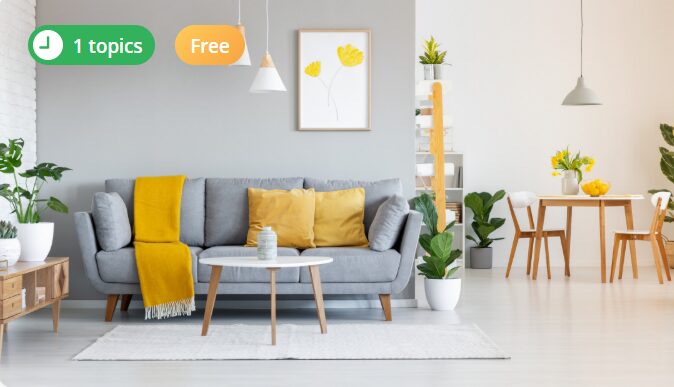
Bringing your dream home to life involves more than just walls and paint. The furniture and decorations you choose play a crucial role in defining the character of each room. Planner5D offers a vast library of options, making it easy for you to visualize how various pieces will fit into your design.
Start by selecting essential furniture items like sofas, beds, and tables. Drag and drop them into place on your floor plan. You can adjust their sizes too—ensuring everything fits perfectly within your space. Don’t hesitate to experiment with different layouts until you find one that feels right.
Once the basics are set, it’s time to add personality through decor. Consider artwork, rugs, curtains, and plants that resonate with your style. Use Planner5D’s 3D view to see how these elements transform your rooms from blank canvases into inviting spaces.
Color plays an essential role as well; choose shades that complement each other while reflecting the mood you want for each area—warm tones create coziness; cooler shades provide tranquility.
Remember to step back often during this process! Sometimes a fresh perspective helps reveal new ideas or adjustments needed for balance in the overall aesthetic.
With all these elements combined through Planner5D’s intuitive tools, you’re crafting not just a house but a true reflection of yourself—a unique haven tailored perfectly for you.