



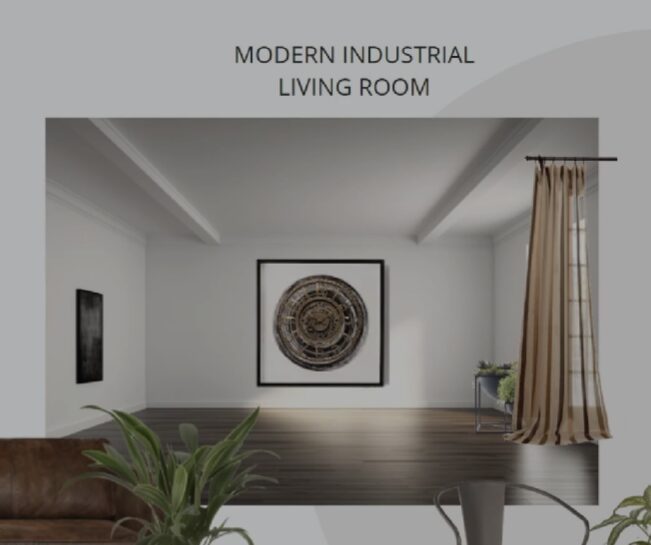
Creating a beautiful, functional living space no longer requires professional drafting skills or expensive architectural software. With the rise of intuitive digital tools, anyone can visualize and plan their dream home with confidence. Planner5D has emerged as one of the most accessible and powerful platforms for home design, interior design, 3D modeling, and floor planning. Whether you are redesigning a single room, planning a renovation, or building a new house from scratch, this comprehensive guide will walk you through every stage of the process. By the end, you will understand how to transform your ideas into realistic digital spaces using Planner5D while maximizing creativity and efficiency.
Understanding Planner5D and Its Role in Modern Home Design
Home design has evolved dramatically over the past decade. Traditional sketches and paper-based floor planning have been replaced by digital environments that allow users to experiment with layouts, textures, lighting, and furniture placement in real time. Planner5D stands at the center of this transformation by offering an accessible platform that bridges the gap between beginner creativity and professional-level results.
Planner5D is designed to simplify 3D modeling without sacrificing detail or realism. Unlike complex architectural software that requires extensive training, this platform provides an intuitive drag-and-drop interface that makes home design approachable for everyone. Users can start with a blank canvas or choose from pre-designed templates to begin their floor planning journey. The platform allows precise measurement adjustments, wall placements, window installations, and door positioning, ensuring that your layout reflects real-world dimensions.
One of the strongest advantages of Planner5D is its dual-mode capability. You can work in 2D mode to develop accurate floor planning layouts and then seamlessly switch to 3D modeling mode to visualize your interior design ideas. This dynamic workflow encourages experimentation because you can instantly see how changes in layout affect the overall appearance and functionality of your space.
In modern interior design, visualization plays a crucial role. Many homeowners struggle to imagine how colors, textures, or furniture pieces will look together. Planner5D eliminates this uncertainty by generating realistic renderings that display shadows, lighting effects, and material finishes. This feature helps prevent costly mistakes before construction or renovation begins.
The platform also supports a wide catalog of furniture, décor elements, fixtures, and materials. From contemporary minimalism to classic elegance, users can explore countless combinations to match their preferred aesthetic. By combining creativity with accurate floor planning tools, Planner5D empowers users to move beyond imagination and create structured, actionable home design plans.
Getting Started with Floor Planning and Layout Creation
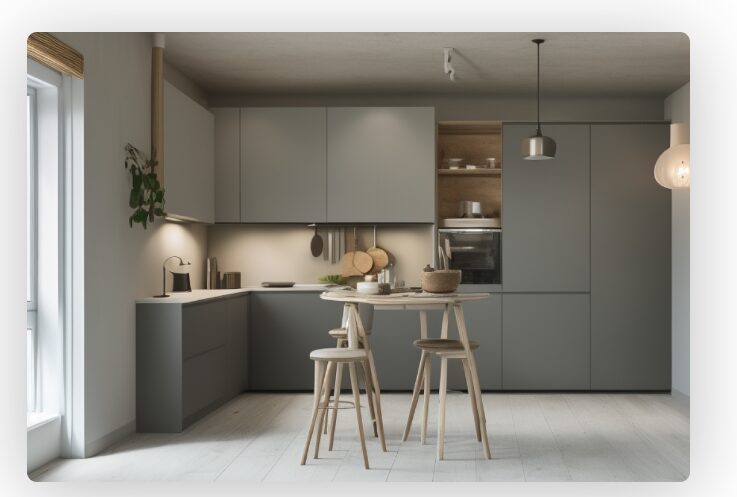
The foundation of any successful home design project lies in thoughtful floor planning. Before diving into colors and décor, it is essential to establish a functional layout that optimizes space, circulation, and comfort. Planner5D makes this process both precise and enjoyable.
To begin, open a new project and select whether you want to create a custom layout or modify a template. If you already have measurements for your home, you can input exact dimensions to ensure accuracy. Using the wall tool, draw the perimeter of your room or entire home. The software automatically displays measurements, allowing you to adjust lengths and angles with precision.
Floor planning involves more than simply drawing walls. You must consider how people will move through the space. Planner5D allows you to add doors and windows with customizable sizes and placements. This step is critical because natural light, ventilation, and accessibility directly impact interior design decisions later in the process.
As you refine your layout, think about zoning. Open-concept living areas may combine kitchen, dining, and lounge spaces, while private zones such as bedrooms and bathrooms require thoughtful separation. With Planner5D, you can experiment with wall placements to test different configurations. Because changes can be made instantly, you can compare multiple floor planning ideas without starting from scratch each time.
Another essential element of floor planning is furniture placement. Even in the early layout stage, it helps to add basic furniture outlines to evaluate spatial balance. For example, placing a bed in a bedroom layout reveals whether there is sufficient walking space on both sides. Similarly, positioning a sofa in a living room shows how traffic flow might work around it.
Planner5D supports both metric and imperial measurement systems, making it adaptable for users worldwide. This flexibility ensures that your home design aligns with actual construction requirements. Additionally, you can adjust wall thickness, ceiling height, and room shape to match realistic architectural constraints.
Once your floor planning layout feels functional and balanced, switch to 3D modeling mode. This transition brings your flat blueprint to life, allowing you to experience the proportions and depth of your design. At this stage, you may notice adjustments that improve spatial harmony, and Planner5D makes those refinements simple.
Exploring Interior Design Features and Customization Options
After establishing a solid layout, the creative phase of interior design begins. Planner5D offers extensive customization tools that enable users to personalize every detail of their home design. From wall colors to flooring materials, every surface can be modified to reflect your style.
Start with structural elements such as floors, walls, and ceilings. The platform provides a variety of textures including wood, marble, tile, concrete, and fabric finishes. By applying these materials in 3D modeling mode, you can immediately evaluate how different combinations affect the atmosphere of the space. Warm wooden floors may create a cozy environment, while polished stone surfaces evoke a more modern aesthetic.
Furniture selection plays a central role in interior design. Planner5D includes an expansive catalog featuring sofas, beds, tables, cabinets, lighting fixtures, and decorative accessories. Each item can be resized, rotated, and repositioned to achieve the perfect arrangement. This flexibility is crucial for adapting standard furniture models to fit unique room dimensions.
Lighting is another transformative element. Proper lighting enhances both functionality and mood. In Planner5D, you can add ceiling lights, floor lamps, pendant fixtures, and natural light sources. Adjusting brightness and positioning in 3D modeling mode allows you to simulate real-life lighting conditions. This step ensures that your home design remains practical while maintaining aesthetic appeal.
Color coordination is equally important. Experiment with accent walls, contrasting cabinetry, or cohesive monochromatic palettes. Because changes are reversible, you can test bold ideas without risk. This experimentation often leads to creative breakthroughs that might not emerge in traditional design processes.
Decorative details bring personality to your interior design. Add rugs, curtains, artwork, plants, and small accessories to enhance realism. These elements may seem minor, but they significantly influence the overall impression of a space. Planner5D enables fine-tuning down to small decorative touches, ensuring that your 3D modeling project feels complete and authentic.
The platform also supports realistic rendering options that elevate visual quality. High-resolution snapshots can be generated to showcase your home design from multiple angles. These renderings are particularly useful if you plan to present ideas to contractors, clients, or family members. Visual clarity helps communicate concepts effectively and reduces misunderstandings.
By combining layout precision with detailed customization, Planner5D transforms interior design into an interactive, immersive experience. Users gain confidence as they see their ideas materialize in a lifelike environment.
Mastering 3D Modeling Techniques for Realistic Visualization
While floor planning establishes structure and interior design introduces style, 3D modeling brings everything together in a dynamic visual format. Mastering this aspect of Planner5D allows you to achieve professional-quality results.
Begin by exploring camera controls. In 3D mode, you can navigate through rooms from different perspectives. Adjust the viewing angle to simulate standing inside the space. This immersive approach reveals scale relationships that are not always obvious in 2D layouts. For instance, ceiling height and window placement become more impactful when viewed from eye level.
Pay attention to proportions. Accurate scaling ensures that furniture fits naturally within each room. Planner5D allows precise resizing, so avoid overcrowding or leaving excessive empty areas. Balanced composition enhances both comfort and aesthetics.
Shadows and lighting effects significantly influence realism. Experiment with natural light sources by adjusting window sizes or placement. Observe how sunlight interacts with wall colors and materials. This exploration can guide decisions about paint shades and flooring choices in your actual home design project.
Textures also contribute to authenticity. In 3D modeling, surfaces react differently to light depending on their finish. Matte walls diffuse light softly, while glossy tiles reflect it sharply. Planner5D enables you to compare these effects instantly, helping you refine material selections.
For advanced users, layering design elements creates depth. Combine multiple lighting sources, varied textures, and contrasting colors to prevent flat visuals. Subtle contrasts between walls and furniture enhance dimensional richness. These techniques elevate your interior design from simple arrangement to immersive storytelling.
Rendering high-quality images is the final step in mastering 3D modeling. Planner5D allows you to produce detailed visuals that resemble professional architectural renderings. Adjust camera focus, brightness, and environmental settings to achieve optimal results. These polished images can be shared for feedback or used as references during renovation.
The ability to move fluidly between floor planning and 3D modeling sets Planner5D apart from many other platforms. This integration ensures that functional decisions and aesthetic choices remain aligned throughout the home design process.
Bringing Your Complete Home Design Vision to Life
A successful home design project requires harmony between structure, functionality, and beauty. Planner5D provides the tools to integrate these elements into a cohesive vision. As you finalize your project, review each component carefully.
Return to your floor planning layout and verify that dimensions remain accurate. Double-check door swings, window placements, and traffic flow. Even small adjustments can improve usability. Because Planner5D stores your progress digitally, revisions are straightforward and efficient.
Next, evaluate your interior design choices. Consider whether colors, materials, and furniture selections support the mood you want to create. Consistency across rooms strengthens the overall identity of your home. However, subtle variations can distinguish private spaces from communal areas.
Use 3D modeling to conduct a final walkthrough. Imagine daily activities within each room. Does the kitchen allow comfortable movement while cooking? Is the bedroom arrangement conducive to relaxation? Does natural light enhance the living area during daytime hours? These reflections ensure that your digital plan translates effectively into reality.
Planner5D also supports collaboration and sharing. You can present your home design to family members or professionals for feedback. Constructive input may inspire refinements that improve both practicality and aesthetics. Because the platform encourages iterative design, you can continue evolving your project until it meets your expectations.
Ultimately, Planner5D transforms home design from a daunting technical challenge into an engaging creative journey. By combining accurate floor planning, customizable interior design tools, and immersive 3D modeling capabilities, it empowers users to visualize and refine their ideas with clarity. Whether you are a beginner exploring layout possibilities or an experienced designer seeking efficient workflow solutions, this platform offers the flexibility and precision required to succeed.
Through thoughtful planning, creative experimentation, and careful refinement, your digital blueprint can become the foundation for a real-world transformation. With Planner5D guiding your process, 3D modeling becomes intuitive, interior design becomes expressive, and floor planning becomes strategic. The result is a home design that reflects both functionality and personal style, brought to life step by step with confidence and imagination.